Appointment Scheduling Software for Therapists in Canada
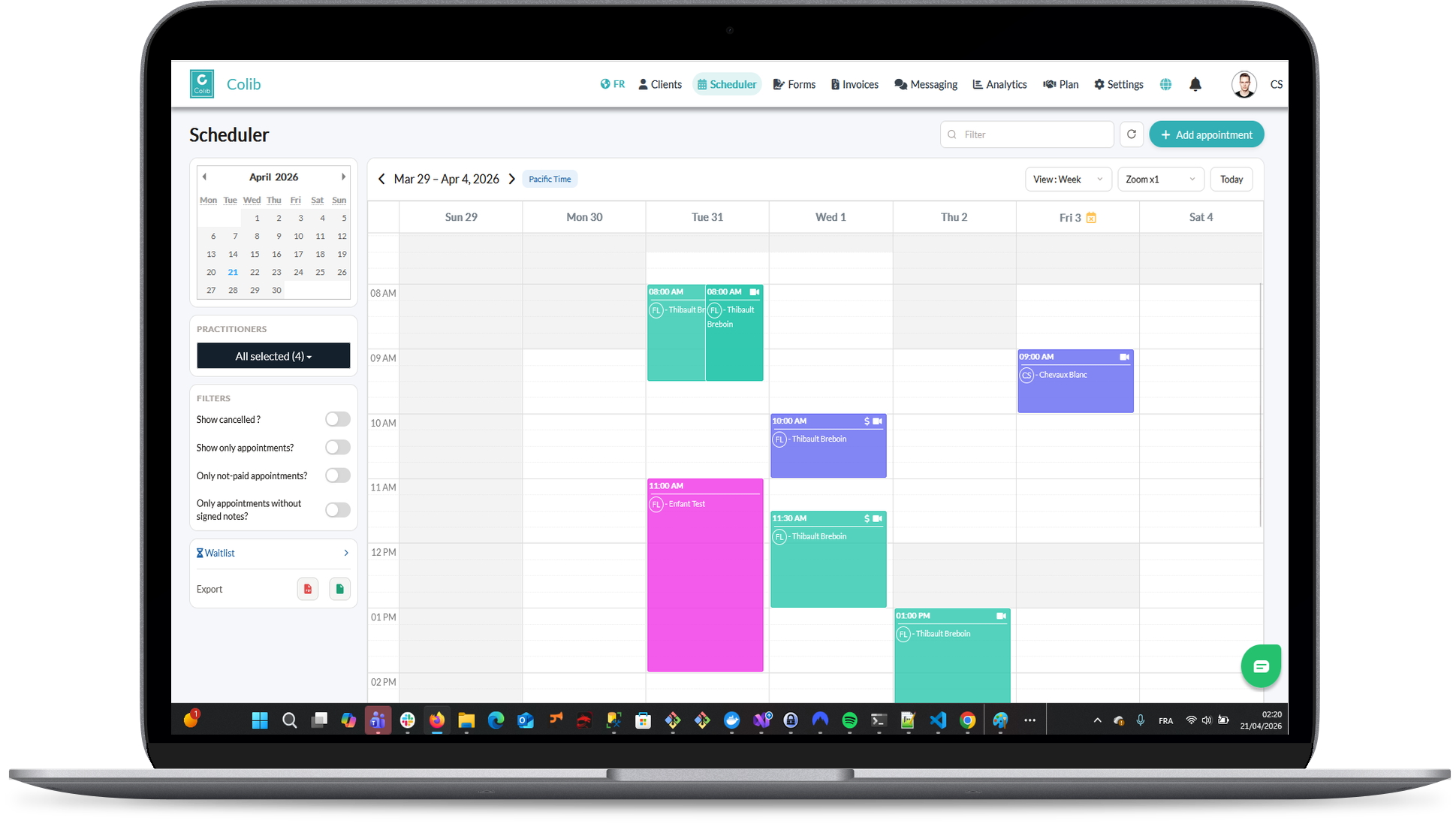
A calendar built for private practice: recurring sessions, group classes, rooms, several clinics and practitioners side by side, a waitlist, and two-way sync with Google Calendar and Outlook. Every appointment is tied to the client file, the invoice and the reminders.
More Than a Calendar: Scheduling Built for Private Practice
A generic calendar shows you a block of time. A practice scheduler knows which client it is, which room, which practitioner, whether the session was confirmed, and what to invoice when it is over.
Book in Seconds
Pick a client, a service and a slot; the type, duration, price and notifications come from the appointment type. Or let clients book themselves through online booking.
One View per Situation
Day, week, month or list; a column per practitioner, per clinic or per room; filters by in-person or online, by type and by status; zoom from a quarter to four times.
Connected to Everything Else
The appointment feeds the reminders, the invoice, the session note and the client's portal. Nothing is entered twice.
Everything a Therapist or Clinic Needs to Schedule
Recurring Appointments
Repeat every N days, weeks or months, with an end date, on a given day of the month or on the second Tuesday. Edit or cancel the whole series at once.
Group Sessions and Classes
Flag an appointment type as a group with a maximum number of participants, let clients join online until it is full, and bill each participant separately.
Room Management
Rooms have a code shown on the calendar, a priority order, a clinic and the services they can host. Switch to the room view to see who is where.
Several Clinics, Several Practitioners
Appointment types and rooms can be limited to a clinic; the calendar shows a day or a week per clinic, and a column per practitioner, so a multi-location team runs on one scheduler. Multi-location management is part of the Practice Pro plan.
Two-Way Google Calendar and Outlook Sync
Your Colib appointments appear in your personal calendar and your personal events block your availability, shown only as Busy. Learn more about calendar sync.
Availability Groups, Pauses and Buffers
Offer different hours for in-person and online sessions, block pauses for a period, and add a buffer before or after an appointment type so clients cannot book back to back.
Waitlist That Fills Cancellations
Clients join from a public link; when a slot opens, the first clients in line are notified by email or SMS, in order, up to the number you choose.
Statuses That Drive the Rest
Scheduled, confirmed, completed, rescheduled, cancelled, late-cancelled, no-show. A no-show can trigger the fee you set, and the no-show rate appears in your analytics.
Colour by Practitioner or by Service
One colour per practitioner by default, or one per appointment type, with your own palette for busy time and other events.
Time Zones Handled
Each practitioner works in their own time zone and clients book in theirs, which matters for telehealth across provinces.
Small Details That Save Time Every Day
Personal Time and Tasks
Block personal appointments, absences and tasks on the same calendar, so your bookable availability is always right.
Your Day, Delivered
Get an email every evening with the next day's appointments, and a notification when a client confirms. Reminders and arrival confirmations go out on their own.
Included in Every Plan
The scheduler, recurring appointments, calendar sync and the waitlist are part of every plan. Room management and team views come with the Practitioner plan ($75/month); several clinic locations come with Practice Pro. Plans start at $3 per appointment ($9/month minimum). See our pricing.
Key features for Therapists in Canada
Our secure EHR platform provides the tools you need to successfully run your practice.

Scheduler
Create appointments in seconds, or allow your clients to book. Two-way Google Calendar & Outlook sync and virtual appointments are available with all our plans.

Charts/Notes
Digitizing your notes and charts is simple and fast with our speech recognition tool and our AI-powered note generation tool ✨.


Easy Booking

Mobile-Friendly
Colib is accessible everywhere from any device, at any time. Your clients get a secure portal.


Receipts & Payments
Facilitate insurance reimbursements with digital receipts and payments with our online card payment system.

Appointment scheduling -- frequently asked questions
Can't find your answer? Contact us.
Can I schedule recurring sessions?
Yes. Choose the interval in days, weeks or months, an end date and, for monthly sessions, a fixed date or a weekday rank. Confirmations can go out for the whole series at once or one occurrence at a time.
Does the scheduler work for a clinic with several practitioners?
Yes. The day and week views show a column per practitioner, per clinic or per room. Each practitioner keeps their own availability, colour and time zone, and permissions decide who sees what.
Does it sync with Google Calendar and Outlook?
Yes, both ways. Colib appointments show in your personal calendar, and your personal events block your availability, shown only as Busy. You can also choose a one-way sync. Details on the Google Calendar and Outlook sync page.
Can I run group sessions?
Yes. Set a maximum number of participants on the appointment type, let clients join online until the group is full, and invoice each participant individually. An additional fee applies to class appointments with three or more clients.
How does the waitlist work?
Clients sign up from a public link, optionally for a specific practitioner. When a slot opens, Colib notifies the first clients in line by email or SMS, in order, up to the number you set.
Can I manage rooms?
Yes, with the Practitioner plan and above. Rooms have a code, a priority, a clinic and the services they host, and a dedicated day or week view shows occupancy.
Is there a mobile app for the Colib scheduler?
Colib runs in the browser on phones, tablets and computers, with nothing to install. Your calendar, client files and invoices are the same on every device.
Run Your Week From One Calendar
Clients, rooms, practitioners and clinics on one screen, synced with your personal calendar. Start your 30-day free trial -- no credit card required.