Therapy Billing Software for Private Practices in Canada
Create the invoice from the appointment, get paid by card online or by Interac e-Transfer reconciled automatically, and send the insurance receipt without lifting a finger. GST, HST, QST and PST are calculated for you, and every payment is reconciled without a spreadsheet.
Get Paid Without Chasing Anyone
Many therapists lose hours every month matching e-Transfers to invoices, resending receipts and following up on unpaid sessions. Colib does the matching, the sending and the reminders.
Invoice From the Appointment in One Click
The invoice is created from the appointment, with the right service, price and taxes. Group several appointments on one invoice, or let Colib send the invoice automatically after each session.
Online Card Payments
Clients pay from the Pay button in the invoice email or from their client portal. Save a card on file with the client's consent and charge it automatically after the appointment.
Interac e-Transfer, Reconciled Automatically
Forward your Interac notification emails to Colib: the sender is matched to the client, the amount to the invoice, the invoice is marked paid and the receipt goes out. No manual entry. How the Interac automation works.
Online Payments for Therapists: Paid the Same Day, Without Chasing
Clients pay by card from the invoice email or their portal, on their phone, in under a minute. You see the payment in Colib the moment it happens, and the receipt goes out on its own.
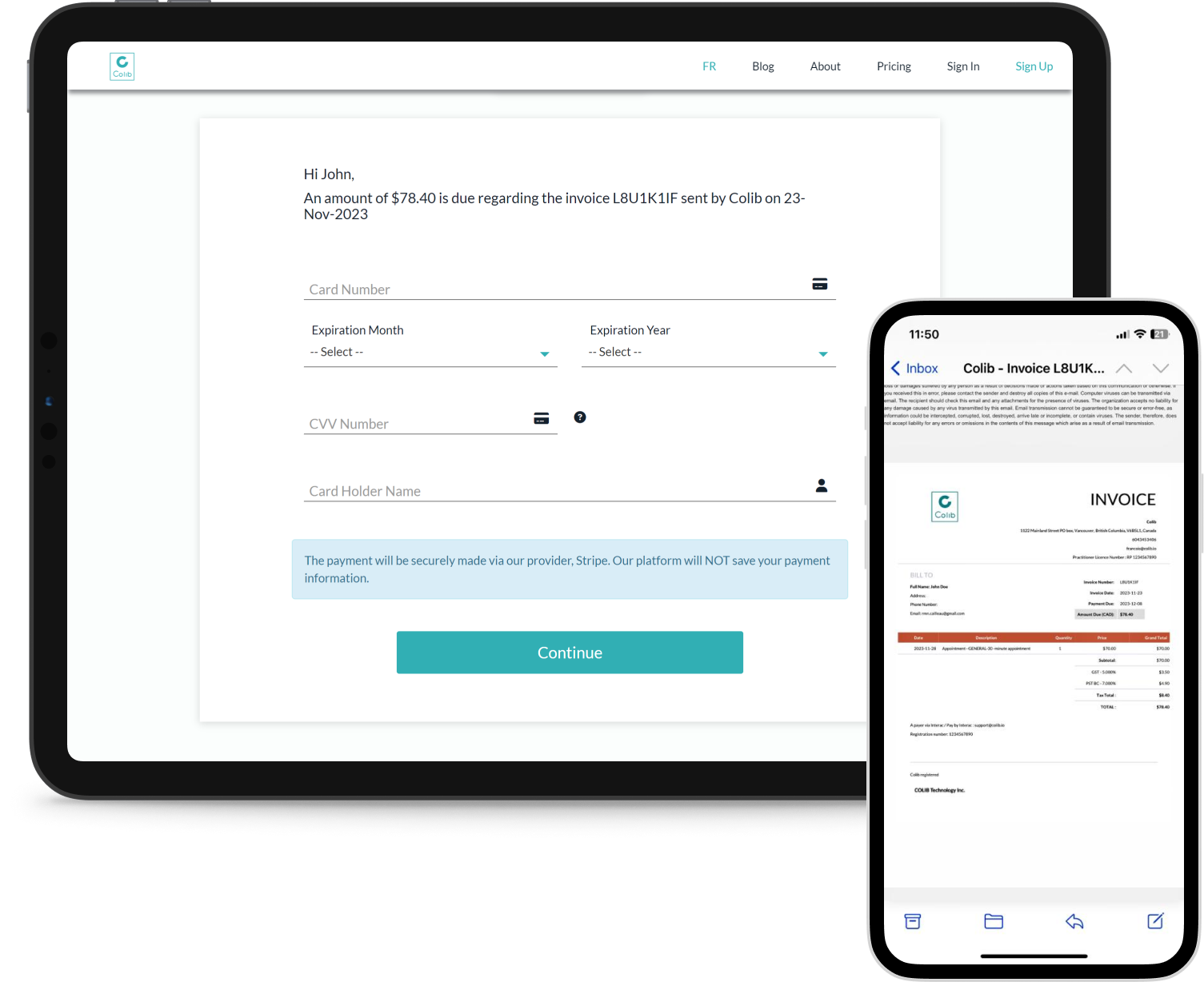
A Pay Button on Every Invoice
Visa, Mastercard, American Express and debit cards, from the invoice email and from the client portal. No account to create, no app to install.
Cards on File and Automatic Charges
With the client's consent, keep a card on file and charge it automatically after each appointment. Combined with automatic invoice sending, your billing runs itself while you are in session.
Paid Means Receipt Sent
As soon as a payment lands, the invoice is marked paid and the insurance receipt is emailed and filed in the portal. Nothing to send by hand, nothing to forget.
Automatic Reminders for Unpaid Invoices
Turn on automatic reminders and Colib emails clients whose invoice is still unpaid after the number of days you choose, with your own message in French and English and the Pay button included.
Refunds and Disputes From the Invoice
Refund a payment, in full or in part, from the invoice screen. Disputes are tracked with their fees, so the refunds report always matches your bank statement.
Payouts to the Right Practitioner
In a clinic, each practitioner connects their own bank account. Online payments are split by percentage or fixed amount and paid out to the right person, with a report of what was actually transferred.
Transparent Online Payment Fees, No Monthly Charge
For online card payments: 2.9% + $0.55 CAD per transaction, no setup fee and no monthly fee. You only pay when a client pays you online.
Online Shop for Gift Certificates
Clients buy gift certificates and packages online with the same card payment, and receive their code by email.

How Interac Payment Automation Works
Interac e-Transfer is how most Canadian clients pay their therapist. Colib turns the notification email into a reconciled payment.
- Enable the option in your payment settings and add a forwarding rule from Interac notification emails to Colib. Set-up takes a few minutes.
- Create the invoice in Colib before the client sends the transfer, as you normally would.
- Several times a day, Colib reads the forwarded notifications, matches the sender's name to a client and the amount to an open invoice.
- The invoice is marked paid, the receipt is sent if you enabled automatic receipts, and you get a notification for every match or mismatch. Colib remembers the client matches you confirm.
Everything Therapy Billing Software Should Do for a Private Practice
From the first invoice to the year-end tax report, without an accounting degree.
Insurance Receipts
Receipts carry your name, licence number and professional order, so clients can claim reimbursement from their insurer. Sent automatically once the invoice is paid, and always available in the client portal.
Taxes by Province
Apply your clinic's default taxes per service, or let Colib pick GST, HST, QST or PST from the client's province, with tax-exempt cases handled.
Outstanding Balances at a Glance
Draft, unpaid, partially paid, paid, refunded, written off: each invoice has a status and a paid amount, so you always know who owes what, straight from the client file.
No-Show and Late-Cancellation Fees
Set a flat fee or a percentage of the session price and Colib invoices it automatically, in line with your cancellation policy.
Packages of Sessions
Sell packages of prepaid sessions and gift certificates, online or at the clinic, and apply them to invoices until the balance is used up.
Every Payment Method
Card, Interac e-Transfer, cash, gift certificate or other. Partial payments, refunds and disputes are handled from the invoice screen.
Clinics With Several Practitioners
Each practitioner can connect their own bank account; online payments are split automatically by percentage or fixed amount and paid out to the right person.
QuickBooks and Excel Export
Invoice numbering by yearly sequence, per practitioner or random, your logo on every PDF. Export invoices to QuickBooks or Excel, and hand your accountant the tax, fees and refund reports at year end.
Included in Every Plan
Invoices, receipts, online payments and the Interac automation are part of every plan. Plans start at $3 per appointment ($9/month minimum), or $75/month for the Practitioner plan, the better deal from 25 appointments a month. See our pricing.
Key features for Therapists in Canada
Our secure EHR platform provides the tools you need to successfully run your practice.

Scheduler
Create appointments in seconds, or allow your clients to book. Two-way Google Calendar & Outlook sync and virtual appointments are available with all our plans.

Charts/Notes
Digitizing your notes and charts is simple and fast with our speech recognition tool and our AI-powered note generation tool ✨.


Easy Booking

Mobile-Friendly
Colib is accessible everywhere from any device, at any time. Your clients get a secure portal.


Receipts & Payments
Facilitate insurance reimbursements with digital receipts and payments with our online card payment system.

Invoicing and billing -- frequently asked questions
Can't find your answer? Contact us.
Can my clients pay online?
Yes. Every invoice email and the client portal include a Pay button for Visa, Mastercard, American Express and debit cards. With the client's consent you can keep a card on file and charge it automatically after each appointment.
Does Colib support Interac e-Transfer?
Yes. Record a transfer manually, or enable the Interac automation: forwarded Interac notification emails are matched to the client and the invoice, the invoice is marked paid and the receipt is sent. Colib learns the matches you confirm.
Does Colib produce insurance receipts?
Yes. Receipts include your licence number and professional order, so your clients can submit them to their insurer for reimbursement. Receipts are sent automatically once paid and stay available in the client portal.
How are GST, HST, QST and PST handled?
Either with your clinic's default taxes per service, or automatically from the client's province. Tax-exempt situations are supported, and the tax report gives you the totals per month and per tax.
Can I sell packages of sessions?
Yes. Create packages of prepaid sessions and gift certificates that clients buy online or at the clinic, then apply them to invoices until the balance is used up.
Can I charge for no-shows?
Yes. Define a flat fee or a percentage of the session price for no-shows and late cancellations, and Colib creates the invoice for you.
What are the card processing fees?
2.9% + $0.55 CAD per online card transaction (our payment partner's 2.9% + $0.30, plus $0.25 for Colib), with no monthly fee for online payments.
Does Colib bill insurance companies directly?
No. Colib produces detailed insurance receipts with your licence number and professional order, which your clients submit to their insurer themselves.
What happens when a client does not pay an invoice?
Colib keeps the invoice as unpaid or partially paid so you see the balance at a glance, and, if you enable automatic reminders, emails the client after the number of days you set with your own message and the Pay button. You can also record a payment received by another method at any time.
Explore More Colib Resources
Spend Your Evenings on Anything but Invoices
Invoices, online payments, Interac reconciliation and receipts, all automatic. Start your 30-day free trial -- no credit card required.